If you have recently purchased a modern hybrid or professional camera such as a Nikon Z6 II/Z7 II/Z8/Z9, Canon EOS R5/R5 C, Fujifilm X-H2/X-H2s, or Panasonic Lumix GH6/S1R, you may have noticed something interesting when opening the memory card door. Alongside the familiar SD card slot sits a larger, faster-looking expansion slot designed for CFexpress Type B cards.
For years, high-performance SD cards (like UHS-II SDXC) have been the industry standard. They are reliable, ubiquitous, and fit easily into almost every laptop or card reader. However, as camera resolutions scale past 45 megapixels and video capabilities expand into 4K 120p, 6K, and 8K RAW, SD cards are increasingly hitting a performance wall.
If you are still exclusively relying on SD cards in a dual-slot camera, you might be leaving a significant portion of your camera’s horsepower on the table. In this guide, we will break down the fundamental differences between high-performance SD cards and CFexpress Type B cards, explore the pros and cons of each, and explain why upgrading your storage media is one of the most effective workflow upgrades you can make.
Understanding the Basics: SD UHS-II vs. CFexpress Type B
To understand why these formats perform so differently, it helps to look under the hood at the underlying technology powering each architecture.
High-Performance SD Cards (UHS-II)
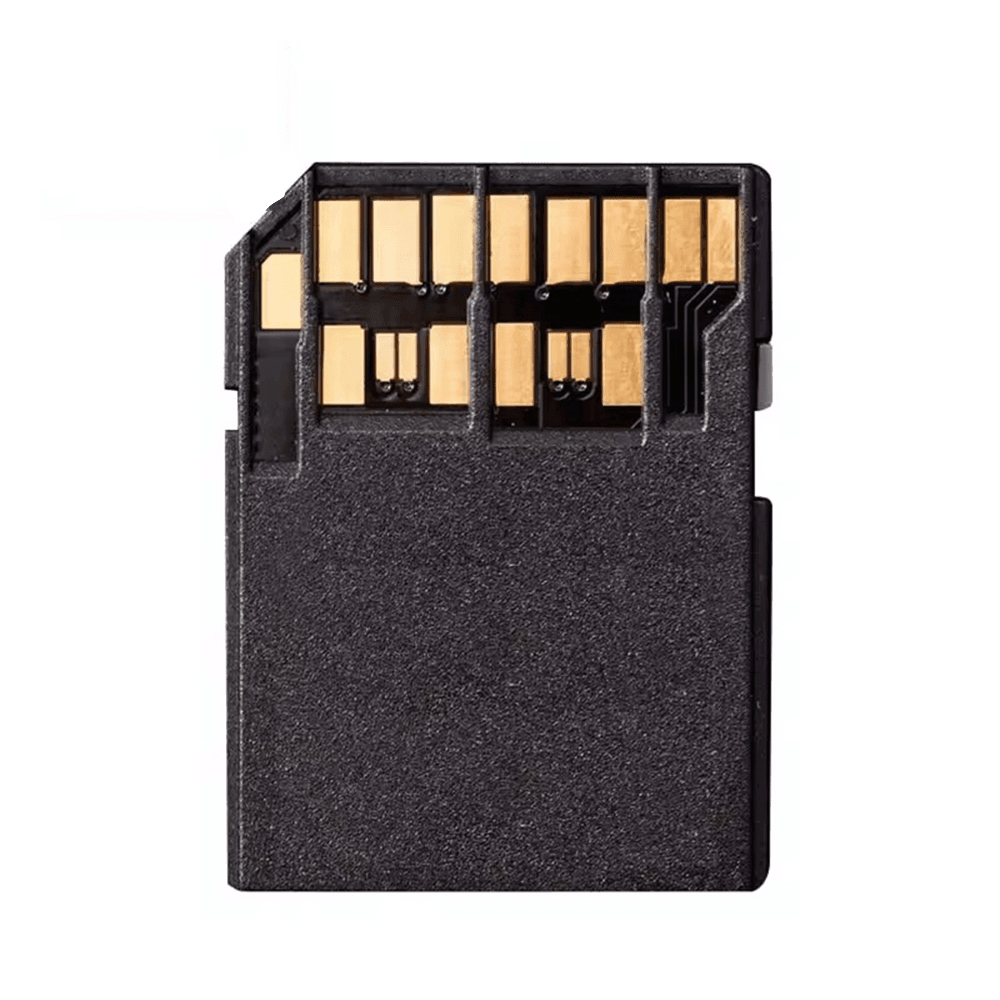
Standard Secure Digital (SD) cards have evolved significantly over the past two decades. High-performance SD cards utilize the UHS-II (Ultra High Speed Phase II) interface, distinguished by a second row of physical pins on the back of the card.
Bus Interface: Legacy SD bus / UHS-II pin architecture.
Maximum Theoretical Speed: ~312 MB/s.
Typical Real-World Read/Write Speeds: 250 MB/s to 300 MB/s read; 150 MB/s to 260 MB/s write.
While 300 MB/s was lightning-fast a decade ago, modern high-bitrate video and rapid continuous photo bursts quickly saturate this bandwidth.
CFexpress Type B Cards
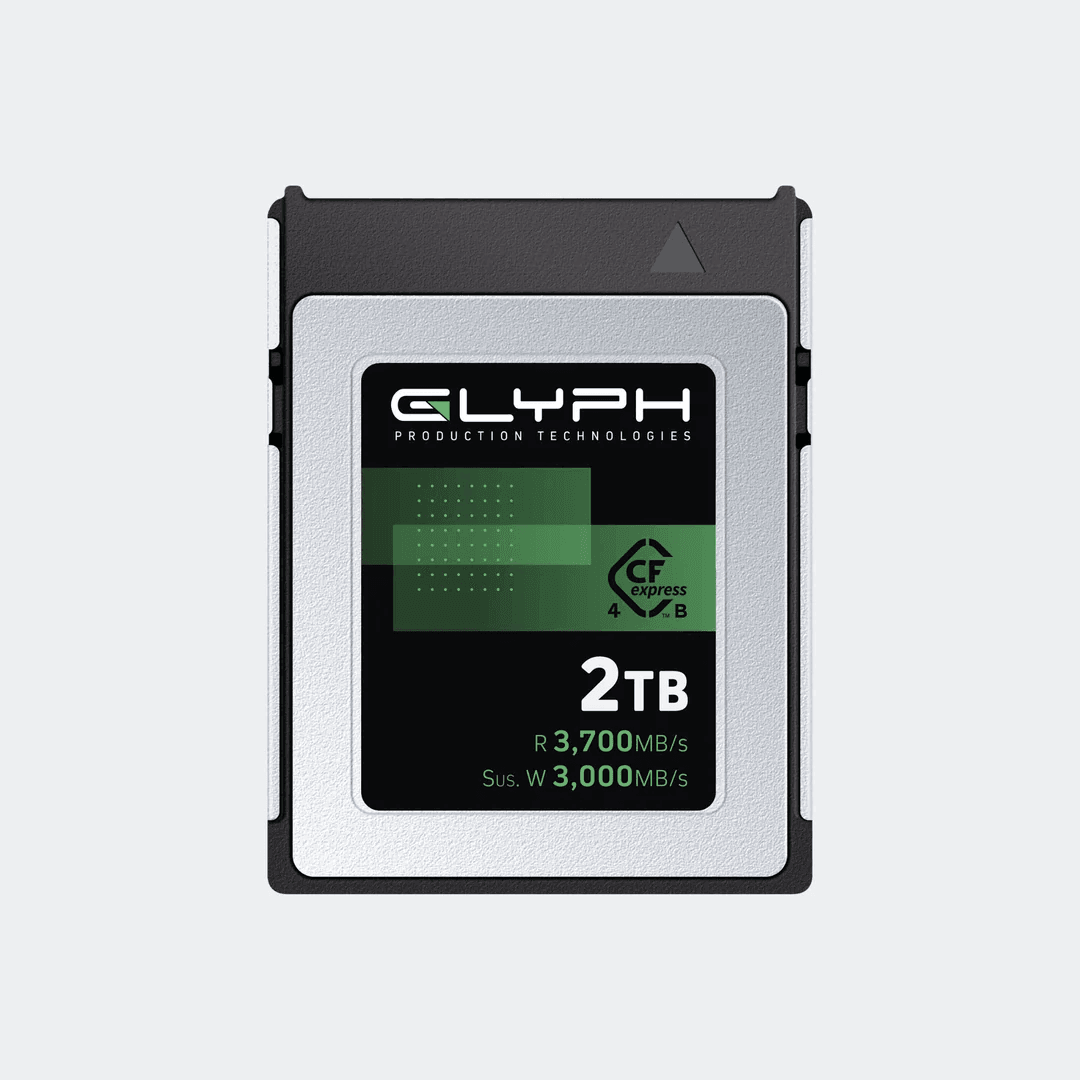
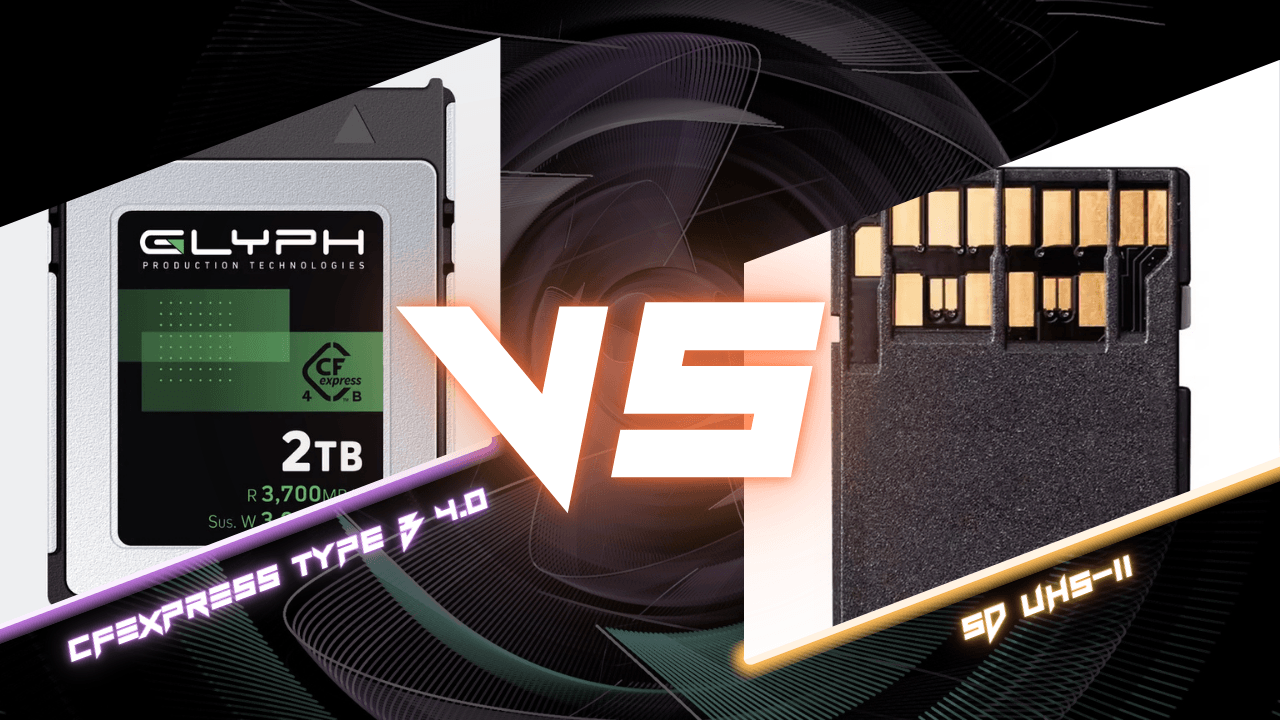
CFexpress Type B cards are essentially miniature Solid-State Drives (SSDs) packaged into a rugged memory card form factor. They use the same physical layout as older XQD cards, but under the hood, they utilize high-speed PCIe (PCI Express) protocol and the NVMe interface: the exact same technology that makes modern laptops boot in seconds.
Bus Interface: PCIe 3.0 x2 (CFexpress 2.0) or PCIe 4.0 x2 (CFexpress 4.0).
Maximum Theoretical Speed: Up to 2,000 MB/s (CFexpress 2.0) or up to 4,000 MB/s (CFexpress 4.0).
Typical Real-World Read/Write Speeds: 1,500 MB/s to 3,700 MB/s read; 1,000 MB/s to 3,500 MB/s write.
Head-to-Head Comparison: Pros & Cons
Feature | High-Performance SD (UHS-II) | CFexpress Type B |
|---|---|---|
Max Transfer Speed | Up to ~300 MB/s | Up to 3,700 MB/s (over 12x faster) |
Sustained Write Speeds | Lower (prone to buffer clearing delays) | Extremely high (essential for RAW video) |
Durability & Thermals | Thin plastic casing, fragile write-lock switch | Metal casing, high shock & heat resistance |
Card Reader Requirement | Built into many laptops & cheap dongles | Requires dedicated CFexpress / USB4 reader |
Cost Per Gigabyte | Generally lower entry price for small capacities | Higher upfront cost, but superior value for high capacity |
High-Performance SD Cards
Pros:
Universal Compatibility: SD slots are everywhere: laptops, entry-level cameras, audio recorders, and budget card readers.
Lower Entry Cost: If you only need smaller capacities (64GB or 128GB) for casual photography, SD cards are affordable.
Familiarity: Easy to handle, readily available at almost any retail store in an emergency.
Cons:
Severe Speed Bottleneck: Buffer clearing during high-speed burst shooting can freeze your camera settings for several seconds.
Limited Video Bitrates: Cannot handle 8K RAW, 4K High-Frame-Rate (120p) ProRes, or uncompressed intra-frame codecs.
Physical Fragility: Plastic shells can crack, ribs between pins can break, and the mechanical write-lock switch is a notorious failure point.
CFexpress Type B Cards
Pros:
Unmatched Speed: Offload hundreds of gigabytes of footage to your editing rig in minutes rather than hours.
Infinite Buffer Performance: Hold down the shutter button for extended RAW bursts without the camera locking up or slowing down.
Pro Video Codec Support: Required for high-bitrate video standards like 12K RAW, 8K ProRes, and high-framerate 4K.
Rugged Construction: Encased in durable metal shells engineered to dissipate heat and survive harsh environmental drop or shock conditions.
Cons:
Dedicated Hardware Required: Needs a dedicated CFexpress Type B card reader or USB4 workflow enclosure.
Higher Upfront Investment: Media and readers cost more initial capital compared to standard consumer SD cards.
Why Transitioning to CFexpress Will Transform Your Workflow
If your camera supports both formats, sticking strictly to SD cards is like driving a sports car with a speed governor installed. Here is how upgrading to CFexpress Type B elevates your shooting and post-production experience:
Eliminate Camera Buffer Delay: When photographing sports, action, wildlife, or event key moments, shooting in RAW at 15 to 30 frames per second quickly fills your camera’s internal buffer memory. On an SD card, you must wait while the camera slowly dumps files. With CFexpress Type B, the buffer clears almost instantaneously, allowing you to keep shooting without missing critical action.
Unlock Professional Video Formats: Modern cinema and hybrid cameras disable their highest-quality video modes (such as 8K RAW or 10-bit ProRes 422 HQ) unless a CFexpress card is detected in the slot.
Drastically Reduce Ingest Times: Offloading a 512GB card via SD at 250 MB/s takes nearly 35 to 40 minutes. Offloading the same media via a CFexpress 4.0 card over a USB4 interface at 3,000+ MB/s takes under 3 minutes. That means less time sitting at a laptop on location and more time editing or delivering to clients.
Enhanced Thermal & Data Protection: High-resolution recording generates internal heat. Metal-clad CFexpress cards act as heat sinks, drawing thermal energy away from delicate camera components and maintaining safe operational temperatures.
Our Recommendation: Glyph Capture+ CFexpress Type B 4.0
When selecting media for high-stakes production, stability and sustained performance matter far more than theoretical peak speed numbers. That is why we engineered the Glyph Capture+ CFexpress Type B 4.0 Memory Card.
Built upon the latest CFexpress 4.0 standard using a PCIe 4.0 x2 interface, the Capture+ series delivers unmatched performance engineered specifically for content creators, filmmakers, and photographers:
Blazing Speeds: Read speeds up to 3,700 MB/s and write speeds up to 3,500 MB/s.
SteadyIO™ Technology: Guarantees sustained write speeds up to 3,000 MB/s, ensuring long-form 12K+ RAW recording without dropped frames or thermal throttling.
Intelligent Power-Loss Handling: Protects in-flight data and safely saves buffer files in the event of unexpected camera power loss or accidental ejection.
Rugged Durability: Temperature proof (10°F to 162°F operating range), moisture, dust, shock, X-ray, and magnet resistant.
Full Backwards Compatibility: Fully compatible with CFexpress 2.0 and 1.0 host cameras.
5-Year Hardware Warranty & Protection: Includes 5 years of full hardware warranty, Level-1 Data Recovery support, and Advanced Replacement coverage.