In professional media production, data is our most valuable currency. Whether you are offloading 8K RAW footage on a bustling set, rendering a complex 3D animation, or mastering an audio track, a fast and reliable workflow is essential. You probably invest heavily in top-tier cameras, high-speed NVMe SSDs, and cutting-edge workstations.
But what connects them all?
Too often, creative professionals trust their multi-thousand-dollar setups to whatever generic Type-C cable happens to be lying at the bottom of their gear bag. It looks like a duck and quacks like a duck, so it must be a high-speed data cable, right?
Unfortunately, in the world of USB and Thunderbolt connectivity, appearances are deeply deceiving. Using low-quality or incorrect cables can stall your timeline, ruin your data, and even fry your expensive hardware.
1. The Illusion of Speed (and the Reality of Corruption)
The physical Type-C connector is universal, but the technology hidden inside it is not. A cable bundled with a smartphone or purchased for a few dollars online is almost always wired exclusively for charging or USB 2.0 legacy speeds—meaning it maxes out at a painful 480 Mbps. Trying to move a 100GB video file over a cheap cable can turn a 2-minute task into an hour-long ordeal.
Worse than sluggishness, however, is the threat of data corruption. High-speed data protocols like USB4 and Thunderbolt operate at incredibly high frequencies. To maintain these speeds across a copper wire, a cable requires pristine shielding and high-integrity signal transmission.
Cheaply made cables suffer from signal degradation and electromagnetic interference (EMI). When the signal drops or becomes "noisy," data packets get lost or miswritten mid-transfer. This results in dropped frames, unreadable audio files, or completely corrupted drives that force you to start your project from scratch.
2. Can a Cable Actually Destroy Your Hardware?
Yes, absolutely. High-performance connectivity isn't just about moving bits of data; it's also about managing massive amounts of electrical power. Modern power standards allow devices to draw massive wattages through a Type-C port to charge laptops and power external desktop arrays.
To handle this safely, quality cables contain a tiny microchip called an E-marker (Electronic Marker). This chip acts as a digital gatekeeper, communicating with your computer and the connected accessory to negotiate exactly how much power and data can safely flow through the wire.
Discount cables often skimp on this internal hardware or use poorly manufactured components. If a sub-par cable lacks a proper E-marker or features an incorrectly configured resistor, it can draw more voltage or current than your device can handle. The catastrophic result? Short circuits, melted ports, blown logic boards, or completely fried external drives. Saving $20 on a cheap cable could cost you a $3,000 laptop.
3. The "Labeling" Nightmare
Why do consumers keep falling into this trap? Because buying a Type-C cable is an exercise in confusion.
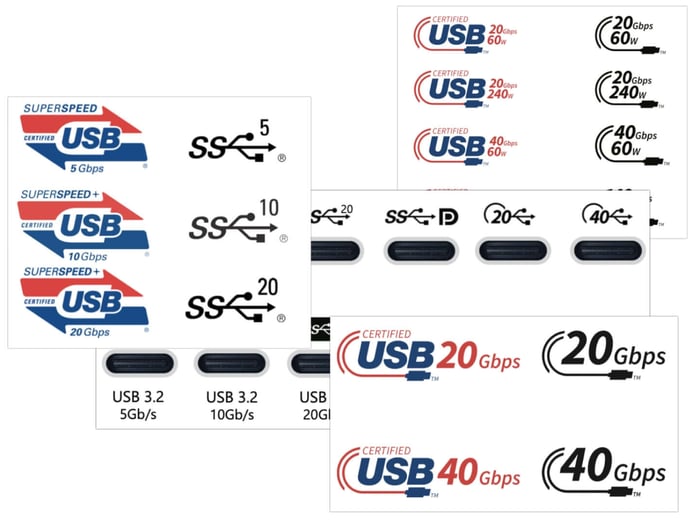
The market is flooded with generic cables that feature vague packaging or misleading buzzwords. A cable might boldly claim to be "High Speed" or "4K Compatible," yet it won't list its actual maximum gigabit throughput, power thresholds, or official certifications. Even when technical specs are printed on the box, they are often entirely fabricated by unscrupulous manufacturers capitalizing on the confusing overlap between USB3, USB4, Thunderbolt 3, Thunderbolt 4, and the emerging Thunderbolt 5 standards. Without proper testing equipment, you won't know the cable is a dud until it fails you on the job.
The Professional Solution: The Glyph Connect+ USB4 Cable
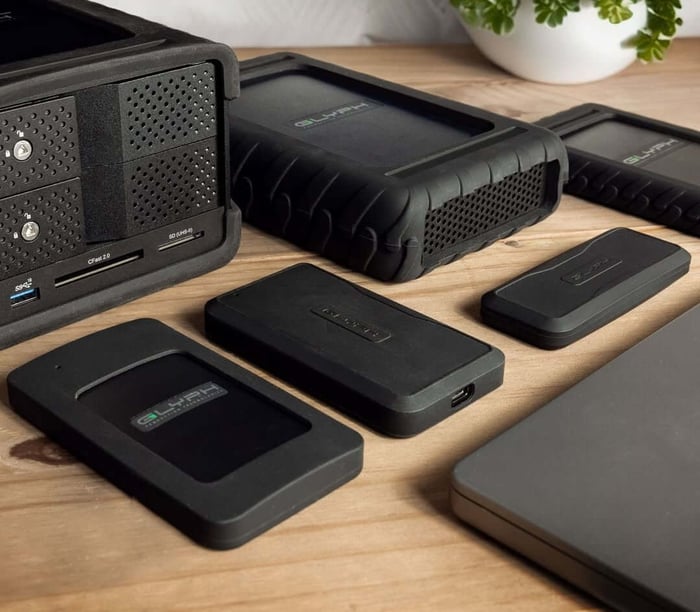
At Glyph, we have spent over 32 years engineering production-grade storage solutions trusted by filmmakers, audio engineers, and photographers worldwide. We understand that your storage is only as good as the pipeline leading into it.
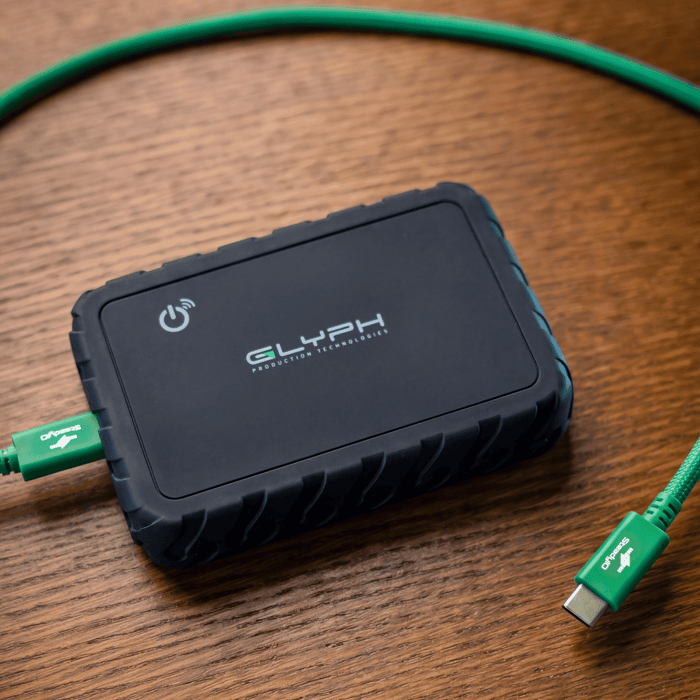
That is why we created the Glyph Connect+ High-Performance USB4 80Gbps/240W Type-C Cable.
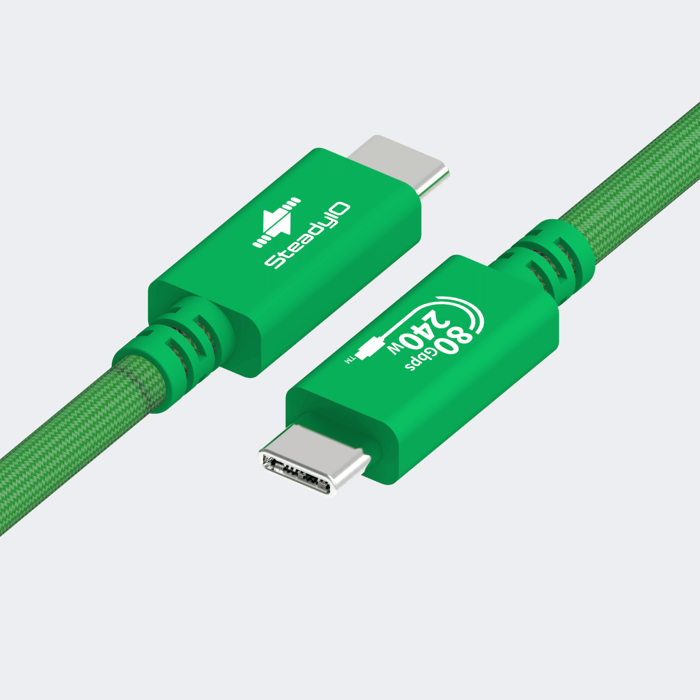
Engineered specifically for demanding creative environments, the Connect+ cable eliminates the guesswork:
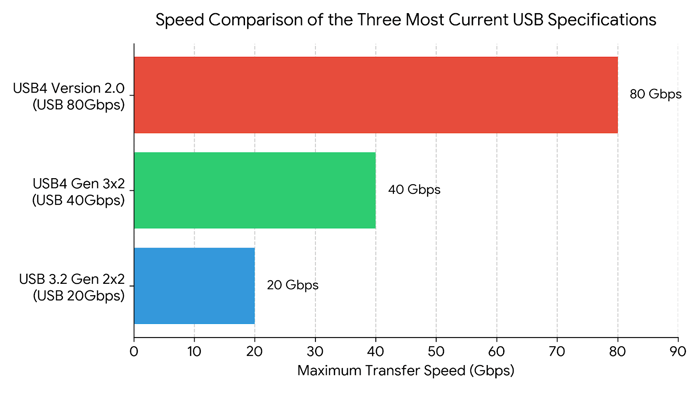
Next-Gen 80Gbps Speeds: Built to support extreme bandwidth requirements, ensuring your high-speed SSDs, professional docking stations, and ultra-high-res displays operate at maximum potential without latency.
SteadyIO™ Technology: Our cables are engineered to sustain stable, consistent throughput during intensive, prolonged data transfers—preventing the signal drops that lead to data corruption.
240W Power Delivery: Fully certified to safely handle up to 240W PD (Extended Power Range), making it entirely safe to power mobile workstations and power-hungry bus-powered devices.
Rugged Construction: Featuring a durable braided exterior and reinforced connector housings, it is built to survive heavy daily abuse in both the studio and the field.
Universal Compatibility: One bright green cable to rule them all. It is backward compatible and seamlessly supports any USB-C or Thunderbolt 3, 4, or 5 device.
What to Look for When Buying a Cable
When shopping for your kit, keep this quick checklist in mind to avoid purchasing a hazardous or slow cable:
Explicit Speed Ratings: Look for clear bandwidth specifications (e.g., 40Gbps or 80Gbps). Avoid cables that vaguely say "Fast Data Transfer."
Power Specifications: Ensure the Power Delivery (PD) wattage is clearly labeled (e.g., 60W, 100W, or 240W) so you know it can handle your machine's power draw.
Official Certifications: Check for official compliance standards like USB-IF certification.
Physical Build Quality: Look for reinforced strain reliefs, metal connector housings, and heavy-duty braiding. A thicker cable often indicates proper internal shielding against data-corrupting interference.
Reputable Brands: Buy from manufacturers that specialize in professional data workflows and stand behind their gear with a real warranty.
Don't let a cheap wire be the weak link in your professional workflow. Invest in high-quality connectivity, protect your hardware, and secure your peace of mind.