As a content creator, your smartphone is often your most used lens. But if you’ve shot on an iPhone recently, you’ve likely bumped into the same frustration: Apple’s aggressive, AI-driven computational photography. The native app has a tendency to over-sharpen details, over-process skin tones, and flatten the contrast, leaving you with an image that feels clinical rather than artistic.
For years, Halide has been the go-to alternative for capturing clean, uncompromised RAW files. Its latest release, Halide Mark III, is a massive structural overhaul. Instead of just being a technical tool to capture an image, it now attempts to handle the entire pipeline—from shooting to final color—right inside the app.
If you are trying to decide whether to integrate it into your daily content workflow, here is a practical breakdown of what actually matters in this update.
1. The "Looks" Engine: Color Science Built for Speed
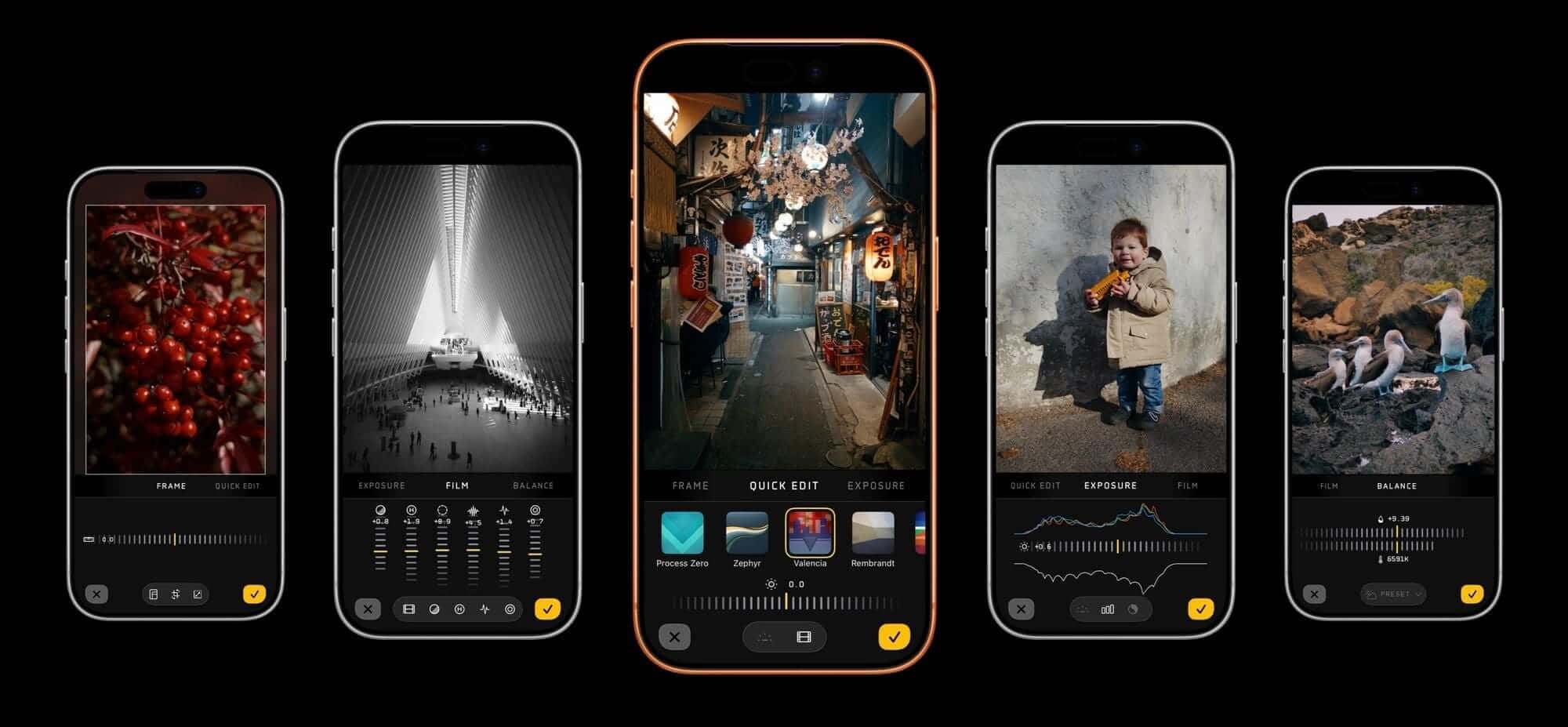
The biggest addition to Mark III is its new film simulation engine. Rather than offering hundreds of generic, heavy-handed filters, the developers partnered with Hollywood colorist Cullen Kelly to build five specific "Looks."
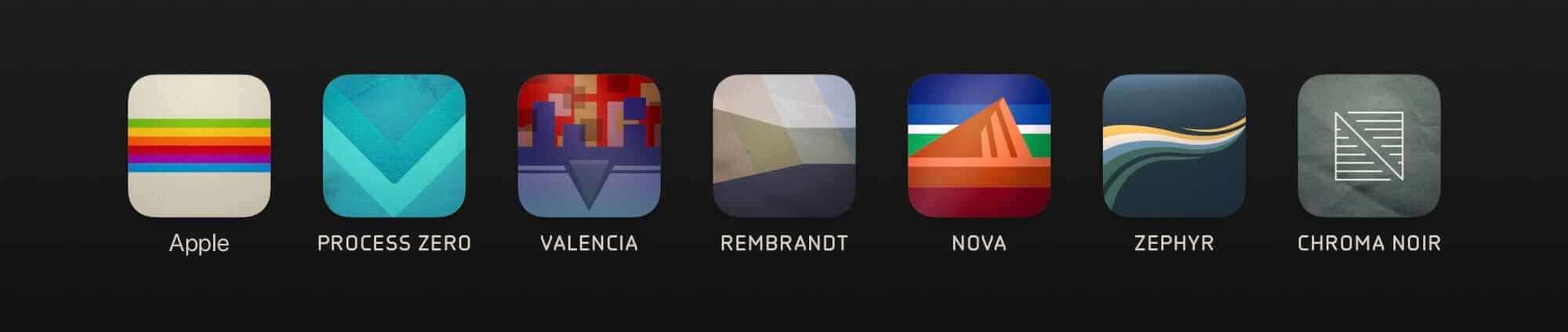
The goal here is utility. If you need to turn around lifestyle, travel, or behind-the-scenes content quickly without spending an hour in Lightroom Mobile, these are designed to look natural straight out of the camera.
Valencia & Nova: Both target landscapes and cityscapes, with Valencia leaning into heavy saturation and deep contrast, while Nova focuses on vibrant colors and smoother, peachy highlights.
Rembrandt: Specifically tuned for portraits, it uses mid-tone contrast to accent facial structures and smooth out skin tones naturally, bypassing the harsh artificial smoothing of the stock app.
Zephyr: A subtle, low-contrast profile meant to mimic a traditional print. It’s highly versatile for everyday lifestyle shooting.
Chroma Noir: A dedicated black-and-white profile with a custom, built-in grain texture.
Crucially, these profiles feature full HDR support and are entirely modular. If you like the color profile of a specific Look but hate digital film grain or vignetting, you can easily turn those components down or completely off.
2. The Photo Lab: A Clutter-Free Digital Darkroom
Historically, using a third-party camera app meant app-hopping: shoot in Halide, export to a third-party editor, tweak, and export again. Mark III introduces the Photo Lab, a built-in editing interface designed to stop that friction.
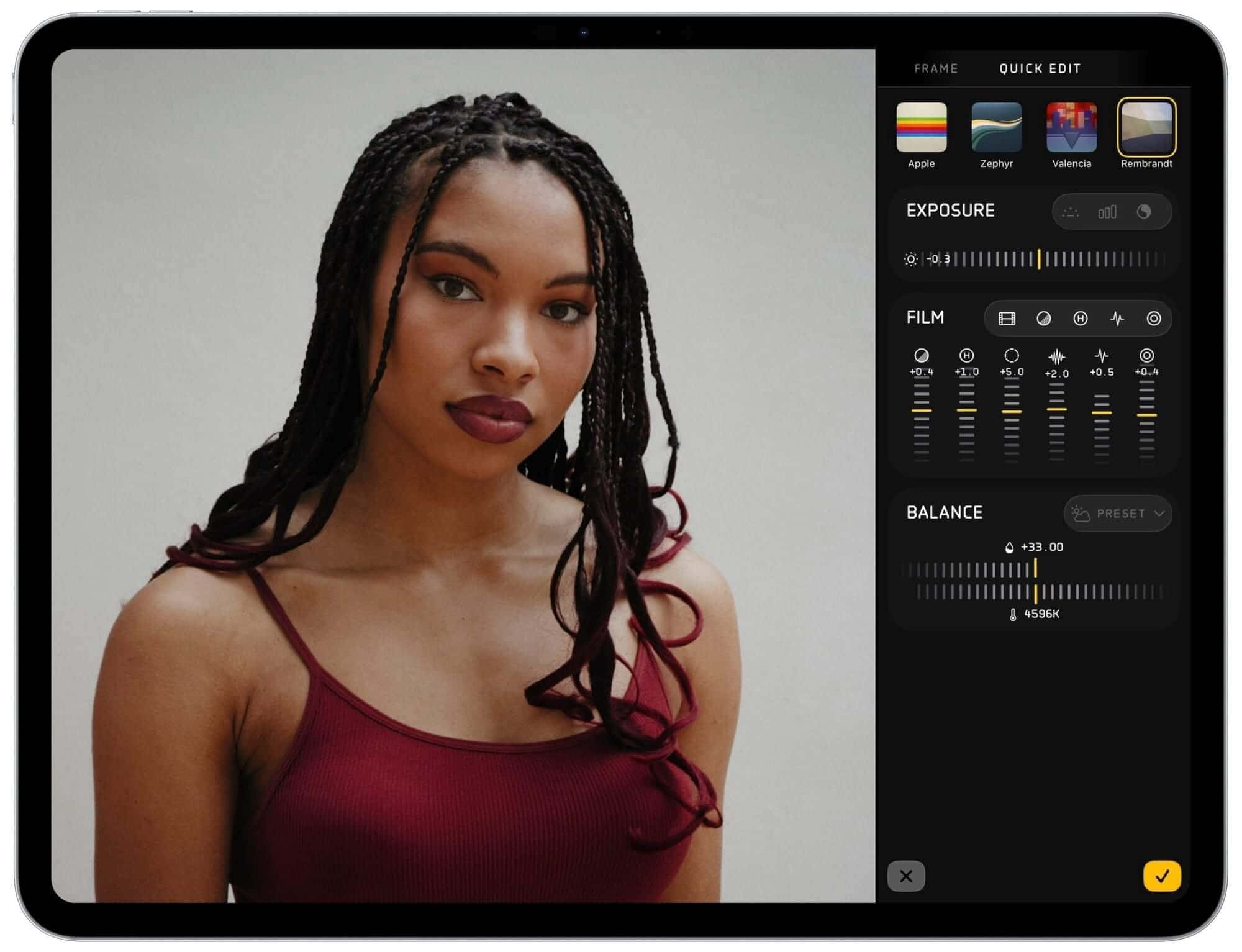
The UI philosophy here is "less is more." It eschews the overwhelming "airplane cockpit" slider layout of heavy editors for a cleaner, tiered approach:
Quick Edit: Allows you to quickly cycle through different Looks, toggle HDR, or adjust basic exposure.
Advanced Panels: Deep-dive tabs for precise exposure, white balance, and framing.
One highly practical feature for creators managing device storage is the Resolution Toggle in the framing panel. If you shoot at 48 megapixels to give yourself room to crop and recompose, you can export your finalized edit at a crisp, storage-friendly 4K (roughly 12MP)—making it immediately ready for airdropping or uploading to social feeds without eating up gigabytes of cloud space.
3. Workflow & UI Refinements
The interface has been stripped down to prioritize composition. Aspect ratios tailored for modern platforms—including a dynamic aspect ratio for Instagram that shifts layout based on orientation—sit alongside advanced composition grids like the golden ratio and rabatment lines.
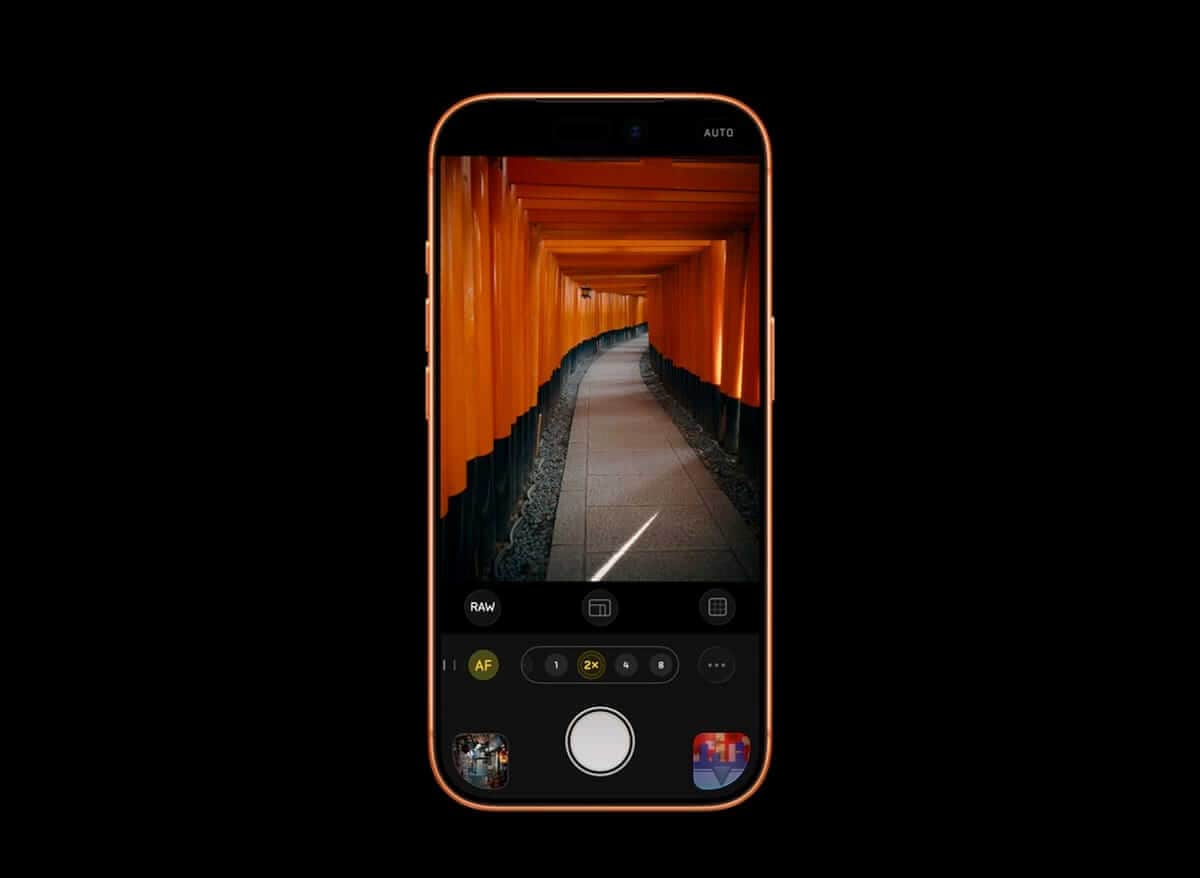
On the technical side, manual exposure shooters get a real upgrade with dedicated Shutter Priority and ISO Priority modes. There is also a physical-style exposure meter at the top of the UI. Because the live video preview on iOS often bakes in temporary processing, Halide uses a separate API to read the actual metered exposure of the sensor. What you see on the meter is exactly what you get in the final file.
4. External RAW Support (Beta)
In a fascinating nod to hybrid creators, Halide has added a beta feature that allows you to import RAW files from standalone mirrorless cameras. This means you can take photos shot on your Sony, Canon, or Fujifilm camera, load them onto your phone or iPad, and apply Halide’s custom film simulations and Photo Lab tools to them. It’s still a beta—meaning expect occasional bugs—but it’s an incredibly useful tool for matching your mobile b-roll with your main camera footage.
5. Cost of Entry
The developers have avoided the tedious "freemium" trend of charging per filter or locking advanced tools behind individual microtransactions.
If you already own Halide Mark II or have an active subscription, the update is completely free.
For new users, it operates on a $19.99/year subscription or a $59.99 one-time purchase.
And if you’re a power user whose muscle memory is tied to the old system, they haven't forced the change on you; there is a legacy toggle in the menu that lets you revert completely to the classic Mark II interface.
The Bottom Line
Halide Mark III isn’t a magic button that will instantly fix a poorly composed photo, but it does solve a major creative bottleneck. By giving you direct control over the iPhone’s over-processed image rendering and providing a fast, streamlined editing workspace, it functions as a highly efficient tool for creators who need professional-looking assets on a tight timeline.